
Using AI at work without losing the person.
Resources and training on responsible AI for the professions people rely on: algorithmic bias, privacy, verification, human judgement and accountability, organised by what each role has to get right.
AI is already in the work. The question is not whether your team uses it, but whether anyone has asked who it gets wrong, where the information goes, who checks the output and who answers for it. This page gathers the Australian guidance, Lejacie’s tools, and training by audience. One session is available to book now; four themes can be scoped with your team.

55%
of Victorian lawyers use generative AI in their legal work, up from 37% in 2025; 79% of users rely on general-purpose tools
VLSB+C, 2026 Victorian Lawyer Census. Read our analysis67% · 14%
of Australian not-for-profits use AI at work · have an AI policy
Infoxchange, Digital Technology in the Not-for-Profit Sector, 2025About a third
of Victorian council officers say their council has a formal AI strategy or governance framework
Maddocks, 75 councils, 2026430,000
Robodebt debts repaid, over $720 million, after an automated method found to be unlawful
Royal Commission, July 2023Whatever the tool, the same five questions.
The guidance from the OAIC, the National AI Centre, the legal regulators, Ahpra and the Human Rights Commission comes to the same five concerns in different words. Each one below says what it is, where it bites in everyday work, and what the Australian guidance expects.
Algorithmic bias
“Does this tool treat everyone the same way?”
What it is
A tool that produces systematically worse results for some groups than others. The Australian Human Rights Commission’s technical paper traces it to two sources: flaws in how the tool was designed, and problems in the data it was trained on. Historical data carries historical decisions, so a tool trained on who was reported, investigated or refused in the past learns to repeat it.
Where it bites
Risk-scoring in child protection, triage and eligibility in services, recruitment screening, fraud and compliance flags, and any tool a vendor sells as “objective”. University of Melbourne researchers have warned that predictive risk tools in child protection may reinforce the position of Aboriginal and Torres Strait Islander children, who are already overrepresented and over-surveilled. Robodebt is the Australian case study in what happens when an automated method is unlawful and nobody with authority stops it: around 430,000 debts repaid and more than $720 million returned after the class action.
What the Australian guidance says
The AHRC paper says bias can be checked for and corrected, and that responsible use must start while a system is under development. The Guidance for AI Adoption asks organisations to understand impacts on affected people before deployment and to test and monitor after it. The legal regulators’ joint statement warns that generative AI can be biased and may not understand human psychology or complicating factors.
AHRC, Addressing the problem of algorithmic bias (2020) · University of Melbourne, child protection risk prediction · Robodebt Royal Commission findings, Law Society Journal
Privacy and confidentiality
“Where does this information go when I paste it in?”
What it is
Personal, health and client information entered into a public AI tool leaves your control and may be used to train the model or be exposed. Confidentiality duties, the Australian Privacy Principles and, for Victorian public bodies, the Information Privacy Principles all still apply.
Where it bites
Case notes typed into a chatbot to “tidy them up”. Meeting transcription tools in family violence, health or legal consultations. Vendors whose contracts say data may be retained. Consent that was never actually asked for.
What the Australian guidance says
The OAIC recommends not entering personal information, and especially sensitive information, into publicly available generative AI tools, doing a privacy impact assessment, due diligence on products that continues after purchase, and updating privacy policies to say how AI is used. OVIC has told Victorian public sector bodies the same about ChatGPT and set limits on generative AI tools in meetings with external parties. Ahpra says scribe tools that record consultations generally need the patient’s informed consent, and that recording without consent can have criminal implications. From 10 December 2026, organisations covered by the Privacy Act must say in their privacy policy which decisions are made or substantially assisted by automated systems.
OAIC, privacy and commercially available AI products · OAIC checklist · OVIC, personal information and ChatGPT · OVIC, generative AI in meetings (2025) · Ahpra, AI in healthcare · What’s changing: automated decisions
Verification
“Can I stand behind this?”
What it is
A fluent answer is not a reliable one. Large language models produce confident text that can be wrong, invented or out of date, including fabricated cases, sections and citations.
Where it bites
Court documents, letters of advice, policy summaries, grant applications, research summaries, anything with a citation or a number in it. Australia’s first lawyer penalised for filing AI-generated fictitious citations was in Victoria. The courts now have rules: the Supreme Court of Victoria’s Practice Note SC GEN 25 and the Federal Court’s generative AI practice note set out when AI use must be disclosed and what the person filing remains responsible for.
What the Australian guidance says
The legal regulators say lawyers must be qualified to check AI-assisted work, use AI mainly for low-risk, easily verified tasks, and not for analysing unfamiliar legal concepts or supporting decisions. The OAIC says organisations must take reasonable steps to ensure accuracy under APP 10 and treat outputs as probabilistic, not fact. Ahpra says practitioners are responsible for checking that AI-generated records are accurate.
VLSB+C, Law Society of NSW and LPBWA joint statement (Dec 2024) · Lejacie: AI helped prepare it. Can you stand behind it? · Court practice notes, on the topic page
Human judgement and oversight
“Who decides, and can they overrule it?”
What it is
AI should inform a decision about a person, not make it. Someone with the authority and the knowledge has to be able to see the output, question it, and overturn it. “Human in the loop” is only real if that human has time, training and permission to say no.
Where it bites
Intake and triage tools that rank people. Eligibility checks. Risk flags that staff learn to accept because questioning them takes longer. Teams where the tool’s recommendation quietly becomes the decision.
What the Australian guidance says
The Guidance for AI Adoption makes maintaining human control one of its six essential practices: people able to oversee, intervene in and shut down AI systems. The OAIC says a person should verify AI-derived personal information and be able to overturn AI decisions, and that staff need training to spot errors and limitations. The legal regulators say AI cannot reason, understand or advise, and lawyers cannot substitute its output for their own analysis.
Guidance for AI Adoption, National AI Centre (Oct 2025) · OAIC guidance
Accountability and transparency
“If this goes wrong, who answers, and did anyone know AI was involved?”
What it is
Someone owns the tool, its outputs and its harms, including when a vendor built it. People affected are told AI was used and have a way to question it. Clients and patients are told plainly.
Where it bites
Procurement where nobody asked how the tool was trained. Councils where officers experiment without a policy: on average only about a third of Victorian council respondents said their organisation had a formal AI strategy or governance framework. Not-for-profits using AI faster than they write the rules. Professionals told by an employer to use a tool nobody has assessed.
What the Australian guidance says
The Guidance for AI Adoption starts with “decide who is accountable” and “share essential information”. The legal regulators recommend recording and disclosing AI use to clients and making AI policies available on request, and billing only for work actually done. Ahpra expects practitioners to tell patients when AI is used and to check their indemnity insurance covers it. The Australian Framework for Generative AI in Schools sets expectations for school leaders, teachers, students and families together.
Maddocks, AI risk and governance in local government (2026) · MAV, AI in local government · Australian Framework for Generative AI in Schools
The tool learned from the past. The past was not fair.
Most of the tools arriving in community services, councils and health are not chatbots. They are scoring, ranking and flagging tools, sold as objective because a computer produced the number. The number came from data about who was reported, investigated, refused or flagged before, and that history carries every decision in it.
The Human Rights Commission, with Gradient Institute, CSIRO’s Data61, CHOICE and the Consumer Policy Research Centre, showed in 2020 that this bias can be measured and corrected, but only if someone looks. University of Melbourne researchers have since warned that predictive risk tools in child protection may entrench the overrepresentation of Aboriginal and Torres Strait Islander children. Robodebt showed what follows when a method is wrong, people inside know it, and the people affected have to prove their own innocence.
Two things get called bias and both matter. Algorithmic bias is unfairness arising through the system: its design and its data. Automation bias is people relying on automated outputs too readily, accepting the number because questioning it takes longer. A fair tool used uncritically still produces unfair decisions.
For a professional, the question is rarely “is this tool biased?” It is “what would I have to see to know, and who do I ask?”
Eight questions to ask of any tool before you rely on it
- What decision does this tool inform, and about whom?
- What data was it trained on, from which years, and who was and was not in it?
- Has anyone tested its results across groups: by gender, disability, cultural background, language, postcode, age? Can we see the results?
- What happens to someone the tool gets wrong, and how would we find out?
- Can a worker override it, and does anyone track how often they do?
- Who is told the tool was involved, and in what words?
- Who owns the outcome: the vendor, the manager, or the worker who clicked accept?
- What would make us switch it off?
Drawn from the AHRC technical paper, the Guidance for AI Adoption’s six practices and the OAIC guidance. Use it in procurement, in a team meeting, or as the first page of an AI policy.
Training for the work your team actually does.
Our introductory session is available now. We can also discuss tailored workshops using the four themes below. Tailored sessions are scoped around your team’s responsibilities, tools and experience, with specialist input where needed. The audience pathways show what the themes look like in different settings; they are tailoring options, not a catalogue of finished courses.
Responsible AI and professional judgement
How do you decide when AI is appropriate, check what it produces and remain responsible for the work?
A practical introduction to verification, source checking, privacy, professional boundaries and meaningful human oversight. Work through realistic examples using an AI verification workflow.
Available as a two-hour briefing or a half-day workshop. The half day adds an applied exercise: your team checks one of its own AI-assisted documents against its sources and decides what it can stand behind. Content is tailored to the audience; court requirements are included where relevant to legal work. Lejacie’s sessions are education, not an accredited program; for lawyers, a session may count towards CPD where it meets VLSB+C requirements.
Four themes. Each ends with what you practise, what you leave with, and what the session does not do.
Bias, fairness and professional judgement
Where could this tool treat some people worse than others, and how would we know? Covers algorithmic bias (unfairness arising through the system) and automation bias (people relying on automated outputs too readily).
- For
- Team leaders, practitioners and anyone asked to use or buy a tool that scores, ranks or flags people.
- Practise
- Working through a fictional tool with the eight questions on this page, then a scenario where the tool and the worker disagree.
- Take away
- The eight questions as a one-page prompt, and a note of what to ask a vendor.
- Limit
- Does not assess or approve any specific product; the session builds the questions, not the verdict.
Privacy, confidentiality and sensitive information
What can go into which tool, under whose rules, with whose consent?
- For
- Frontline staff, administrators and the people who set the rules for them.
- Practise
- Sorting real kinds of information (case notes, a referral, a transcript, a complaint) against your organisation’s agreed prohibitions and the privacy law that applies to you.
- Take away
- A draft “what goes where” table for your tools, and a consent prompt for recording tools.
- Limit
- Does not replace a privacy impact assessment or legal advice on your obligations; it prepares you to ask for both.
Verification and responsible communication
Can you stand behind it, and what do you tell the person on the other end?
- For
- Anyone who produces documents, summaries or advice with AI help, and anyone whose clients arrive with an AI answer.
- Practise
- Checking an AI-assisted document against its sources using the AI verification workflow; rehearsing what to say to a client, patient or family about AI’s role and limits.
- Take away
- The verification workflow adapted to your documents, and plain wording for disclosing AI use.
- Limit
- Does not certify a document as correct; the professional responsible for it still signs it off.
Governance, supervision and implementation
How does AI guidance become instructions your staff can follow, and who answers for the result?
- For
- Managers, policy owners, principals and boards.
- Practise
- Mapping current uses, developing a draft tool register, and identifying responsibilities, approval routes and escalation points against the six essential practices in the national Guidance for AI Adoption.
- Take away
- A working draft register and policy outline, and a clear plan for the reviews and decisions still needed (privacy, security, procurement, approval).
- Limit
- A workshop produces drafts; a final organisational policy needs consultation, specialist input and formal approval, which the session does not provide.
What the themes look like in your setting.
Each pathway names the setting, a bias question worth bringing to the session, and how the themes would be applied. The bias questions are training prompts, not claims about any specific system.
Councils, government and policy teams
Customer-service chatbots, planning and compliance tools, grant assessment, and officers experimenting ahead of any policy. Privacy law for councils is Victorian; vendors may sit under the Privacy Act.
A useful bias question
Could past enforcement or service-use data distort a new priority recommendation?
What the themes look like here
- Theme 1 as a case discussion: what Robodebt teaches a council, distinguishing lessons from findings that apply directly.
- Theme 4 as “turn AI guidance into workable staff instructions”, with your policy owners in the room.
- Theme 2 covering OVIC’s expectations and vendors under the Privacy Act.
Community, youth and family services
Case notes, risk assessments, translation, intake and referral tools, and workers using AI on their own devices because nobody has said anything yet. Clients may arrive with AI-drafted documents.
A useful bias question
Has the tool turned missing information into an assumption about risk or engagement?
What the themes look like here
- Theme 2 for frontline staff: your organisation’s agreed prohibitions, consent, and what to do with a client’s AI answer.
- Theme 1 for team leaders: comparing a fictional disclosure with an AI-generated summary and finding what was left out.
- Theme 3 as a short module on telling clients plainly when AI was involved and what it cannot decide.
Health, disability and aged care
AI scribes in consultations, clinical and support decision tools, NDIS and aged care planning software, and the consent that is supposed to come first. Two groups, two sets of rules.
A useful bias question
What evidence supports this tool’s use with the people receiving the service?
What the themes look like here
- Registered health practitioners: applying Ahpra and National Board expectations (accountability, understanding, transparency, informed consent) to AI-assisted work, with scribe tools as the worked example.
- Disability and aged-care teams: examining AI use against their own roles, service obligations and organisational arrangements, not Ahpra’s.
- Theme 1 on who the training data left out, and supported decision-making when a tool has already produced a recommendation.
Education, training and professional bodies
Generative AI in classrooms and assessment, deepfakes and image-based abuse among students, staff using AI for reports and communication, and professional bodies deciding what to tell members.
A useful bias question
Does generated feedback make assumptions about ability, language or background?
What the themes look like here
- The Australian Framework for Generative AI in Schools in practice, with your own scenarios.
- Deepfakes and AI-generated harm: what to notice, what to report to eSafety, what to say to students and families.
- Theme 4 for a professional body: setting expectations for members without claiming certainty it does not have.
Lawyers, legal teams and advocates
The joint regulators’ statement, the court practice notes and the duty to verify set the expectations; use is already widespread in Victorian practice.
A useful bias question
Has an AI-generated account omitted context or made a disputed claim sound established?
What the themes look like here
- Theme 3 as “verification before filing”, built on the AI helped prepare it workflow, the practice notes and your own precedents.
- Theme 4 for principals: the risk-based policy the regulators ask for, disclosure to clients and costs.
- Theme 1 on the client who used ChatGPT: what to do when a client, witness or referral partner arrives with an AI-generated answer.
Researchers and knowledge-translation teams
AI in literature review, coding and summarising; institutional and funder integrity rules; and how AI-assisted findings reach practice without losing their limitations.
A useful bias question
Has the synthesis excluded evidence or overstated what the included studies support?
What the themes look like here
- Theme 3: using AI in research translation while keeping method, limitation and uncertainty visible.
- Theme 1 as “planning an evaluation of an AI tool a service already uses”: the questions, the access to ask for, and when specialist evaluation expertise is needed.
- Theme 2: AI, consent and participant data, covering both existing AI products and developing or training models.
What is free here, and what we charge for
The boundary is specificity, not usefulness. Everything you can read on this page is free and stays free. Paid work is applying it to your organisation’s tools, people and material.
| Free | Paid |
|---|---|
| An explanation of algorithmic and automation bias. | A facilitated workshop using situations from the team’s work. |
| Questions to ask before entering information into an AI tool. | Mapping the organisation’s actual use cases and identifying questions for privacy, security and professional review. |
| A verification workflow with a worked example. | Training people to use it, observing where they struggle and adapting it to their workflow. |
| The eight questions to ask of any tool. | Helping the team populate a draft register and define ownership and approval routes. |
| The Australian guidance, gathered and explained. | Designing a specific review process with the people responsible for operating it. |
We do not sell the paid work as approval that a tool or organisation is compliant, unbiased or safe. We sell the defined work and its deliverables.
Open these before you open the tool.
Official guidance first, then Lejacie’s own tools. Links checked 8 November 2026.
Australian guidance, by who issued it
- Guidance for AI Adoption (National AI Centre, October 2025). Six essential practices, two versions: foundations for organisations starting out, implementation for those scaling. Replaces the 2024 Voluntary AI Safety Standard.
- Guidance on privacy and the use of commercially available AI products (OAIC, October 2024, updated January 2025), with the one-page checklist. The one to hand to a manager buying a tool.
- Guidance on privacy and developing and training generative AI models (OAIC). For anyone building or fine-tuning, including research teams.
- Statement on the use of AI in Australian legal practice (VLSB+C, Law Society of NSW and Legal Practice Board of WA, 6 December 2024). Confidentiality, competence, verification, supervision, disclosure and costs.
- Meeting your professional obligations when using AI in healthcare (Ahpra and the National Boards). Accountability, understanding, transparency, informed consent, with specific guidance on AI scribes.
- Public statement: use of personal information with ChatGPT and position on generative AI in meetings (OVIC). For councils and Victorian public bodies.
- Addressing the problem of algorithmic bias (Australian Human Rights Commission with Gradient Institute, CSIRO Data61, CHOICE and CPRC, 2020). The technical paper, still the clearest Australian treatment.
- Australian Framework for Generative AI in Schools (Australian Government, for all states and territories). For school leaders, teachers, students and families.
- eSafety Commissioner . Reporting and guidance on deepfakes, image-based abuse and AI-generated harm, including in schools.
- Court practice notes (Supreme Court of Victoria SC GEN 25, Federal Court generative AI practice note). On the topic page, with the court-by-court links.
Lejacie tools you can open now
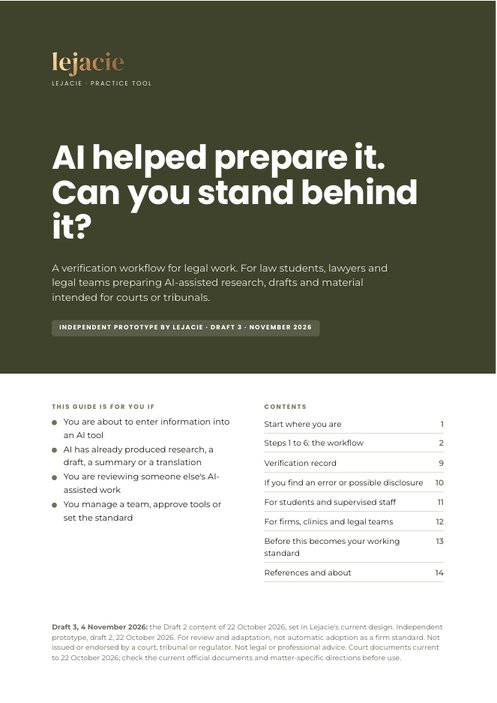 AI helped prepare it. Can you stand behind it?Verification workflow · For lawyers, legal teams and anyone filing
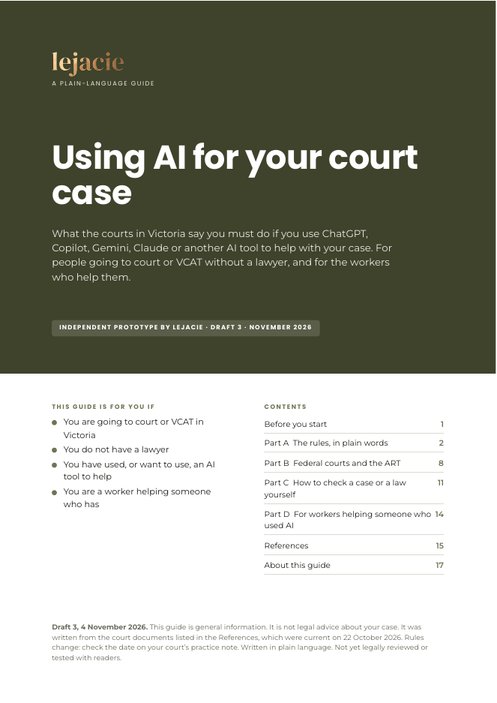 Using AI for your court casePlain-language guide · For people representing themselves, and those supporting them
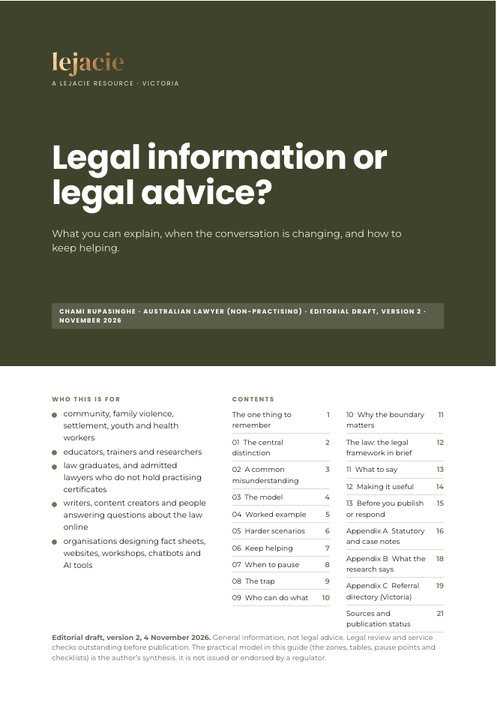 Legal information or legal advice?Guide · Where the line sits when an AI answer is in the room
What’s changing


General information and education, not legal advice. The guidance above changes often; the issuing body’s current page always wins over our summary of it. Lejacie is not a law firm and does not provide individual legal advice or representation.